FATE
Implementation
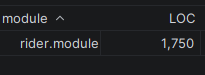
FATE's technical implementation is my most ambitious project yet, stretching 15,000+ lines of code across Angelscript and C++. Over 300+ hours spent coding (by hand – AI was not used to generate large chunks of code. Occasionally used for refactoring.)


We used a combination of Angelscript, GAS (Gameplay Ability System), [network] Replication, and the AdvancedSessions plugin in this project.
As the lead programmer (and designer), I built the core functionality of our game's entire framework through a combination of these parts.
The first couple weeks for the programmers and designers consisted of getting caught up to speed on how to work with GAS and Replication, two things no one else had worked with previously. I acted as the primary source of information on how these systems worked on their own, as well as how I had implemented it for our project.
Tranek's unofficial GAS documentation, Epic Games' own GAS tutorials, and a handful of GDC talks were used as starting points for everyone (including myself when I began researching these topics.)
Two scripts that did a lot of heavy-lifting were the GunComponent and HealthAttributes scripts. I held sole ownership of these scripts. (As the most proficient at angelscript during development, I held ownership of all script files, barring a couple.)
You can view the related files in their entirety here:
GunComponent.as
HealthAttributes.as
The up-to-date files are hosted on a private repository, so these files are dated to August 3rd 2026.
My thought process in the development of most scripts was to write clean, self-documenting code, with additional documentation when applicable, or to clarify tips/tricks with the language that my in-learning teammates would appreciate.
GunComponent
The highlighted lines of code in the code block emphasize the core calculations that build toward the final bullet impact location.
Several rays are fired from the player's view that build a target profile, including:
The exact point in space the player was aiming at.
A deviation from the target point (1.) -- the 'spread point' (or bloom.)
The target the player is aiming at, if applicable. Used for bullet-magnetism (makes near-misses more likely to hit. This is what makes shooting feel so snappy in Bungie's games like Halo, Destiny, and Marathon.)
The final calculated point in space the bullet will hit.
Here's a visualization of the bullet-magnetism in effect.
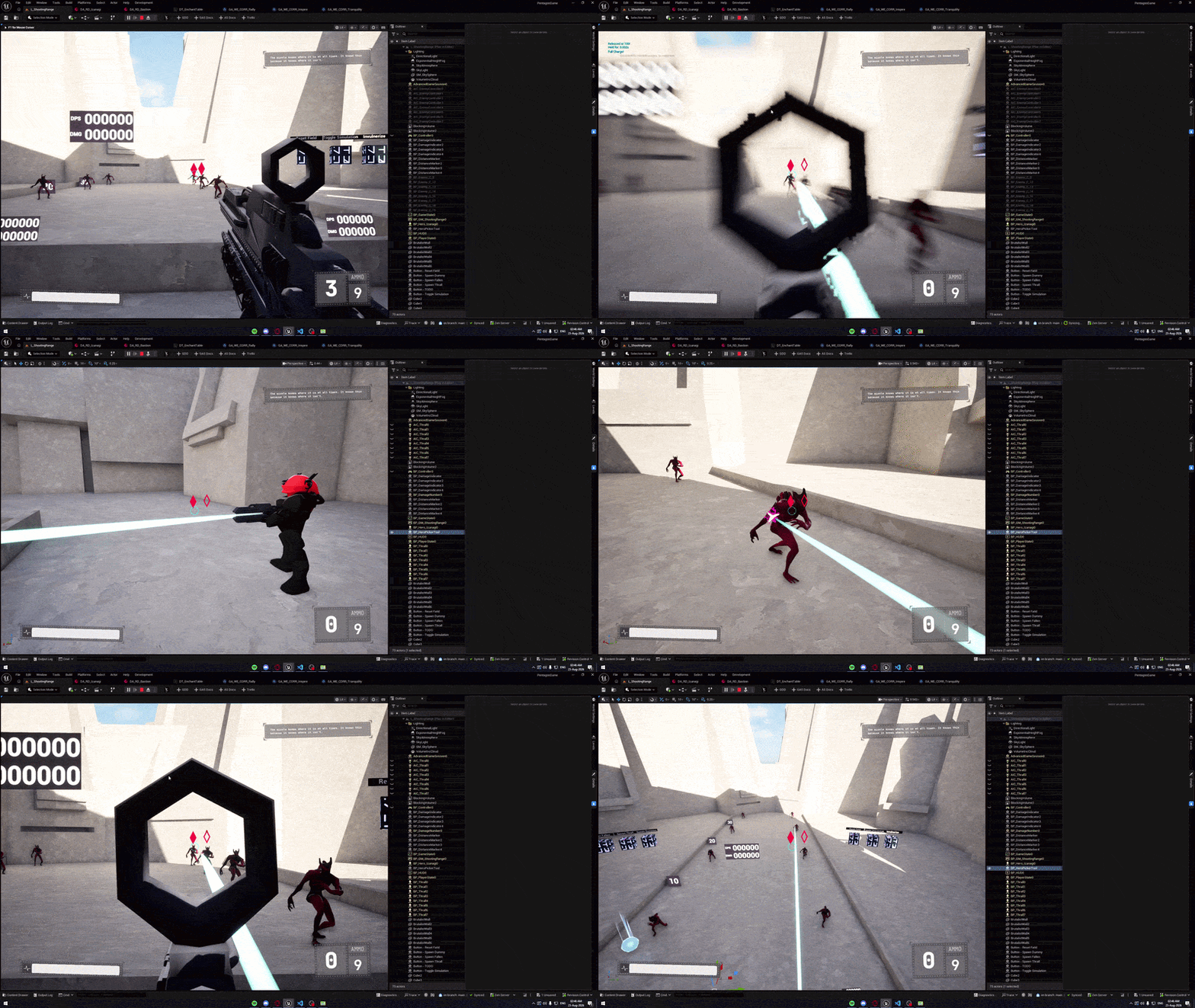
This is because the bullet-magnetism capsule trace detected the closer target, and pulled the bullet toward it.
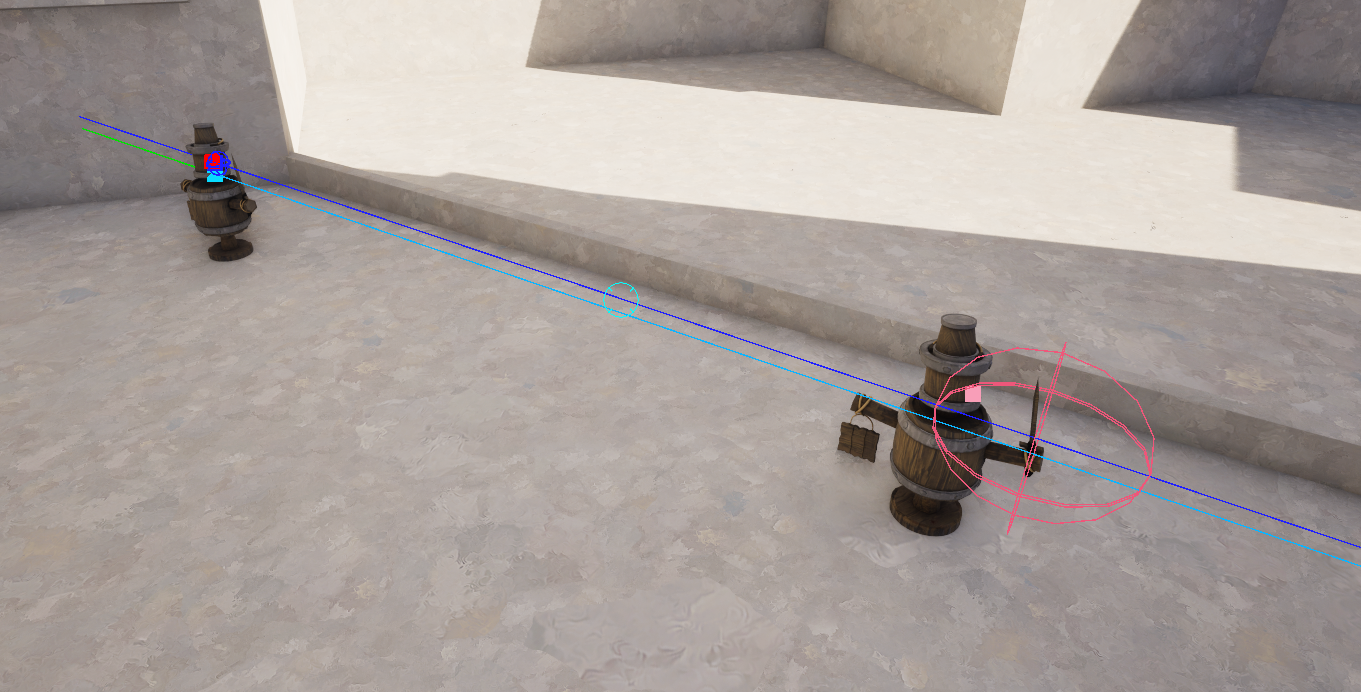
and the light blue line represents the path the final calculated bullet took. 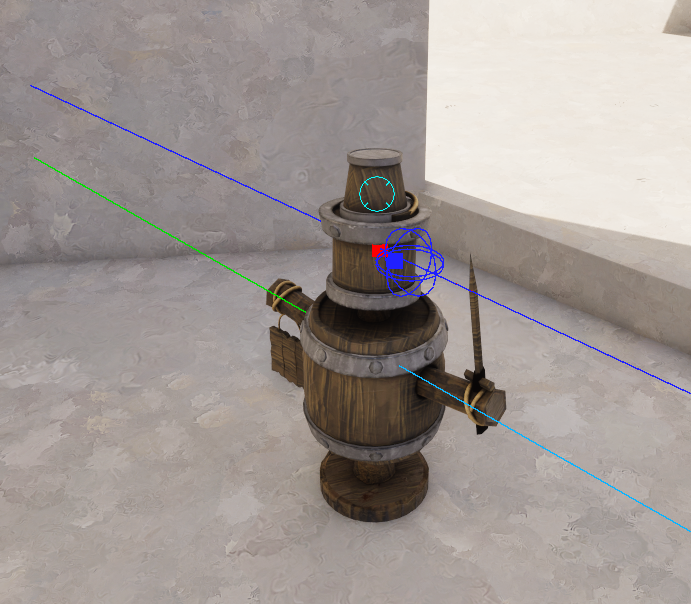
There are a few more things happening behind the scenes to make the shooting feel as good as possible, but you can read up on that in the full script file.
HealthAttributes
Finally, the HealthAttributes script is the backbone of taking/dealing damage.
Something we did to make the GameplayAbility/Effect workflow more tailored to our project was to extend the built-in EffectContext with our own fields like IsPrecisionHit.
This gave both script and blueprint an easy way to ask: "was this a precision hit?", and even overwrite it for special enchantments -- allowing them to deal precision damage -- proccing other enchantments.
A small change like this quickly builds the feeling of a rogue-lite when one headshot activates multiples effects and chains across enemies.
Many changes like these that gave us extended functionality in script or blueprint were often made on the C++ side.
I also extended our editor through C++ and Angelscript to improve our workflow (examples include linking directly to documentation in the toolbar.)
Alongside the implementation of GAS -- which comes with client-predicted replication -- we also had a lot of manual replication to handle.
My primary role on the replication side of things was replicating game state to the UI, such as healthbars, nametags, and boss-bars.
However, as the most experienced with replication, I still remained the primary source of information and assistance on the topic.
Leadership
FATE is a love-letter to Destiny (2), and an attempt at creating a new genre ("Raid-like").
Our combined efforts across 7 weeks brought us a product we were over-joyed to play, and especially to see others enjoying it and its marvels.
Vision
The project went through many iterations, including a drastic pivot on the day of our Alpha deadline. I was leading the charge on this pivot: directing our new game vision, rethinking our thought-process, and down-scoping our engineering.
Our initial vision was of a semi-procedurally-generated map -- consisting of sublevels that we would stitch together procedurally -- as you progress through 2 puzzles and a boss fight.
Pivot
Realizing the difficulty of making this work in a multiplayer setting (after dozens of hours of troubleshooting), I announced to our team that our current vision and workflow would not be sustainable. The team was in unanimous agreement.
Later that day, we pivoted to a hand-crafted experience with 3 characters (down from 4), more thought-provoking puzzles, more cooperation, and far more sustainable workflows. Workflow changes included better communication about working hours, scoping down areas where we were lacking in raw workforce (e.g. Animations), and focusing on polishing our core experience, rather than opting for more content -- even though we felt it was doable -- aiming for more healthy and sustainable work.
End Result
The pivot was often discussed in retrospectives as the saving-grace moment, and most pivotal reason behind the success of our game.
I am very glad I stepped up and led the pivot and project moving forward, and see this as a milestone in my time as a student, showcasing strong ownership and respect for the project and my team.
Closing Thoughts
Having written 15,000+ lines of code, this is only a fraction of my work on this project, but should you want to hear more, please do not hesitate to reach out to me on LinkedIn, Discord, email, or elsewhere.